
myRAMS for mobile
Manage your home loan accounts online with myRAMS.

Manage your home loan, savings and transaction accounts online with myRAMS
- See your balances
- Pay your bills
- Move money
- Re-fix your home loan
- Manage your security
- Update your details
- Access from your mobile phone
myRAMS for mobile
-
Login and access

-
Viewing transactions

-
Move money

-
More options

-
Mobile security tips

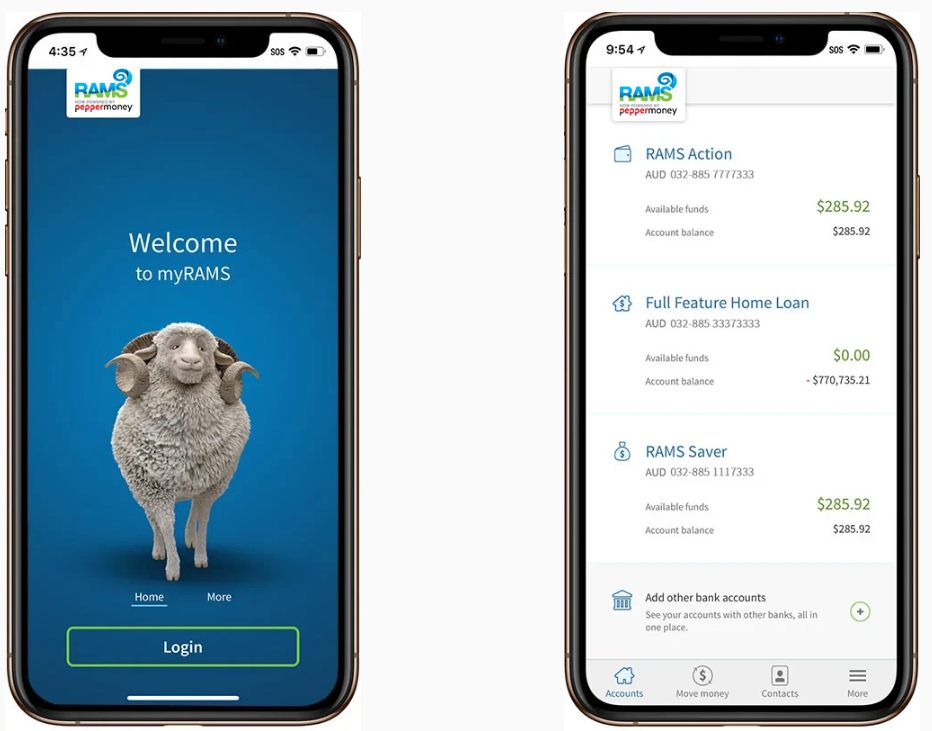
Log in to myRAMS on your mobile
Manage your accounts on the go, with myRAMS Mobile or the RAMS iPhone app. All information in myRAMS is securely encrypted and protected with SMS verification.
If you’re not already registered for myRAMS, before you can use myRAMS Mobile you’ll need to register by calling 13 RAMS that’s 13 7267. If you're calling from outside of Australia, please call us on +612 9647 6967.
You’ll need your ‘Customer ID’ and ‘Password’ to log in to myRAMS. You can reset a forgotten password and receive a new one via SMS, or by calling 13 RAMS.
Once you’ve logged in, you’ll see your account balances.
Viewing transactions
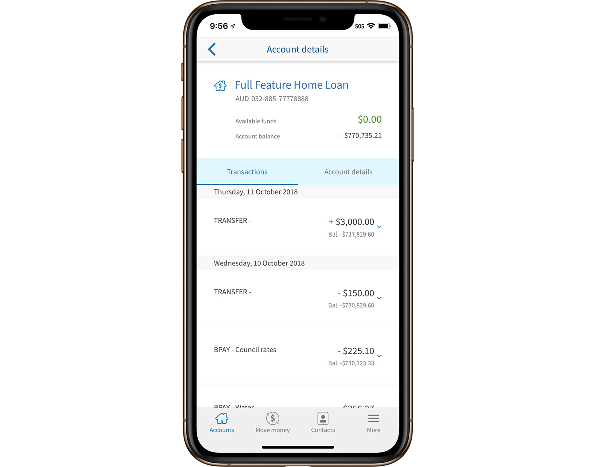
Your account balance will be displayed once you've logged into myRAMS on your mobile. Selecting an account will show you transaction information.
Here you can see your:
- Account name
- BSB and account number
- Current balance
- Available balance or available redraw.
Move money
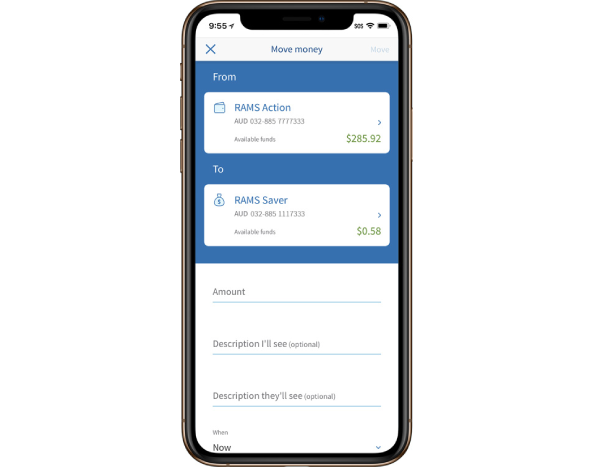
myRAMS allows you to move money between your accounts, to existing or new payees and BPAY billers. You can choose to move money immediately or set up a 'Move money' for a date 'When' date in the future. These payments can also be set up as Later or Regular payments for regular transactions.
Setting up a new payee or biller is protected by SMS verification for greater security.
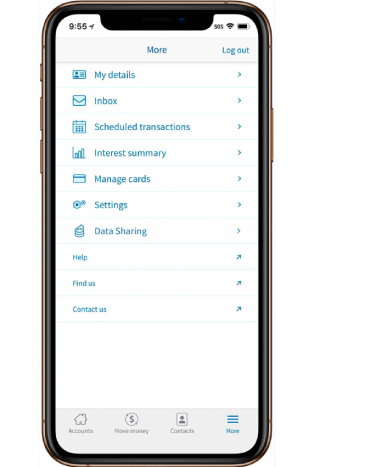
Options menu
myRAMS Mobile provides you with more options for managing your account including:
- My details
- Inbox
- Scheduled transactions
- Interest summary
- Manage cards
- Settings
- Help
- Find us
- Contact us
If you have a question about myRAMS Mobile, the Options area provides access to help topics and frequently asked questions (FAQs).
Mobile security tips
Protecting your security is important. Here are some basic practices to help you maintain security when using myRAMS Mobile:
- Don't share your login information with anyone.
- Lock your phone when not in use. This password-protects your device so that nobody else can use it or view information. Also be sure to store your device in a safe location.
- Take care when entering your customer reference number or password into your phone and ensure that no one is watching you whilst doing so
- Make sure to logout when you've finished using myRAMS Mobile
- If you change your mobile number or your mobile phone is lost or stolen, call us immediately on 13 7267 to deactivate your myRAMS access
- Don't store your myRAMS Mobile login information on your mobile phone in case it gets lost or stolen
- Keep your iPhone™ updated through iTunes. For all other devices, contact your mobile service provider.
- Use trusted apps - always download mobile apps from reputable sources.
- Stick with a secure network by ensuring wherever possible, that all internet connections are password protected.
If you're concerned about your myRAMS Mobile security, please call us immediately on 13 RAMS that's 13 7267. If you're calling from outside of Australia, please call us on +612 9647 6967.
Get myRAMS
for iPhone and Android


Got questions? Download the myRAMS FAQ fact sheet or call us on 13 RAMS.
Important Information
Pepper Money Limited ABN 55 094 317 665 AFSL and Australian Credit Licence 286655 is the servicer of home loans owned by Pepper Finance Corporation Limited ABN 51 094 317 647. For RAMS loans and RAMS deposit accounts closed on or before 31 July 2026: Westpac Banking Corporation ABN 33 007 457 141 AFSL and Australian credit licence 233714. Pepper Money Limited also services these accounts. Pepper Money Limited and its subsidiaries use the RAMS trademarks and brands under licence from RAMS Financial Group Pty Ltd.


