
myRAMS for desktop
Manage your home loan accounts online with myRAMS.
Manage your home loan, savings and transaction accounts online with myRAMS
- See your balances
- Pay your bills
- Move money
- Re-fix your home loan
- Manage your security
- Update your details
- Access from your mobile phone
myRAMS for desktop
-
Get started

-
Make payments

-
Manage accounts

-
Move money

-
Direct debit vs recurring payments

Manage your accounts online
myRAMS makes it easy for you to keep your accounts up to date, by allowing you to update some of your details online. myRAMS also allows you to export your transactions, personalise the order that your accounts display in, and even lets you add a nick name to your account.
Find out how easy it is with one of our short tutorials:
myRAMS Internet Login
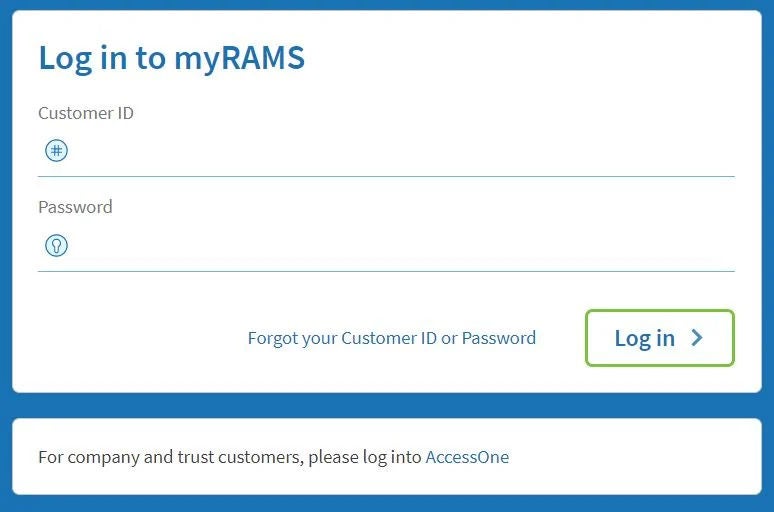
We have made some great changes to the log in page of myRAMS following your feedback. We know that you really didn’t like the “floating keyboard” when you log into myRAMS, so we’ve listened and have changed the way you type in your password on the desktop version, to a simple keyboard data entry format shown below.
We wanted to let you know about the change so you know the new log in page is legitimate and secure and that everything else in myRAMS is the same as before, it’s just the log in page that has changed.
Our myRAMS mobile app has not changed.
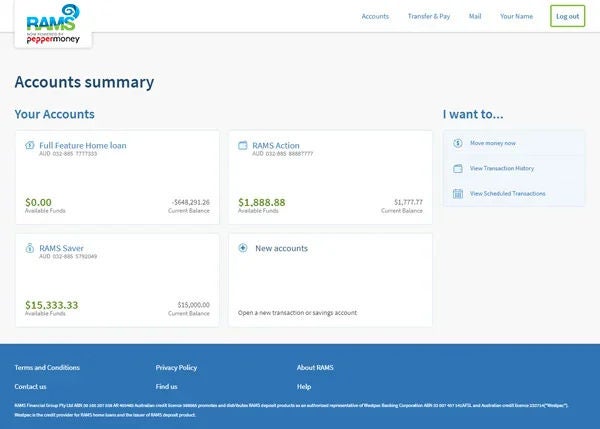
Accounts Summary
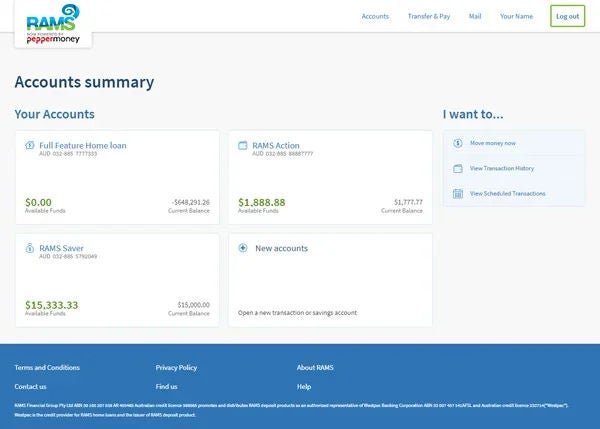
Once you've logged in, you’ll arrive on the 'Accounts' page (Figure 1) where you'll see your account details, including:
- Account name
- BSB number
- Account number
- Current balance, and
- Available balance.
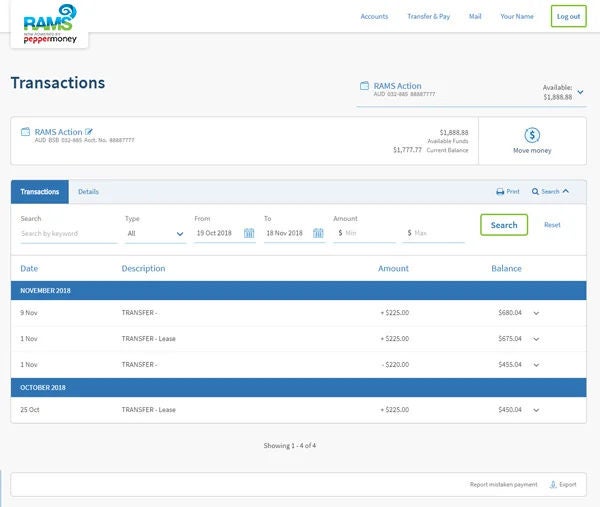
Click on the account name and you will see your the transaction history for that account.
Transaction History
Your transaction history will automatically display up to 10 listings per page and up to 100 entries in total. If you'd like to change this setting go to 'My Account Settings' to change this list size.
You have a search feature that allows you to search all of the listings in your account transaction history using account name, view or date range. You have an 'Advanced' search feature available that enables you to locate specific transactions more easily.
To make it easier to remember transactions, you're able to change the transaction description and give your transaction nicknames. This is particularly useful when you're paying bills to the same organisation.
Account Details
In the Account Information section you are able to select from a dropdown list to see the account details for each account that you have (depending on if you have more than one account).
Make a payment
Why stand in queues when you can pay your bills with just a few clicks?
With myRAMS you can pay and schedule your bill payments and money transfers online plus get a quick record of all your transactions.
Find out how easy it is with one of our short tutorials:
Pay Bills
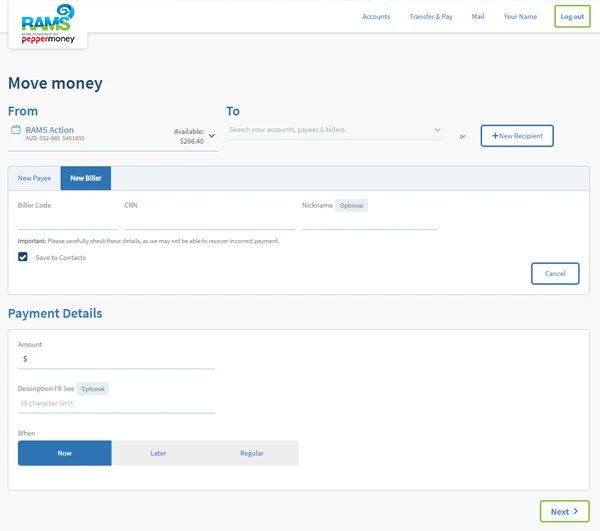
To make a BPAY payment to an existing biller, go to Transfers & Pay, Select Move money.
Select
- From: the account you would like to pay the bill from.
- To: Select the existing biller in the ‘To’ drop down list box.
- Amount
- Description I’ll See
- When: select ‘Now’ to process the BPAY payment immediately. By default ‘Now’ is selected.
Review the BPAY payment details.
If you would like to make any changes to the BPAY payment click ‘Make changes’ button.
If the BPAY payment details are correct, click ‘Confirm’ button to create the BPAY payment.
You will be presented with a successful receipt when the BPAY payment is successfully created.
To create a new BPAY payment click ‘New Transfer & Payment’ button.
To return to accounts summary page click ‘Done’ button.
Manage Billers
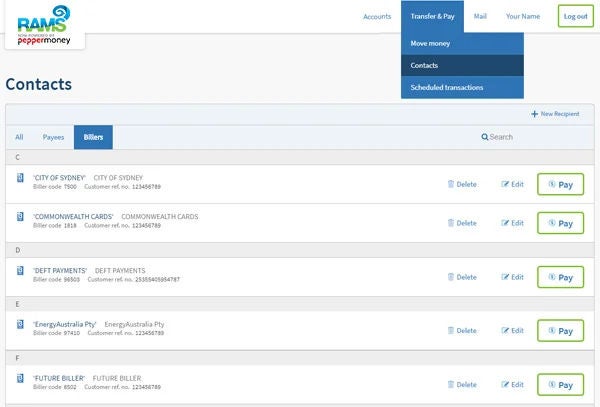
Contacts allow you to manage your Payee and Billers details. You can Add New Recipient, Delete or Edit contact nicknames or Click Pay
Go to Transfer & Pay
Select Contacts
Scheduling future bill payments
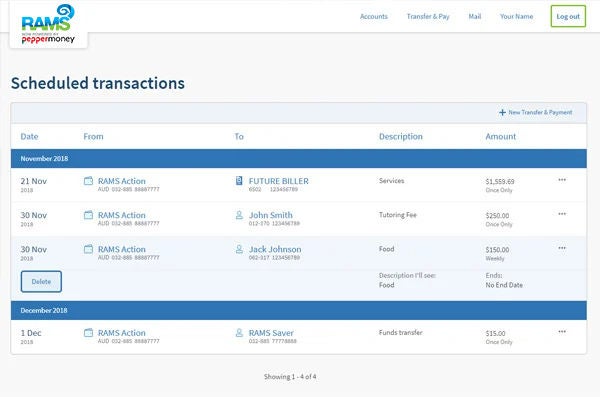
You can schedule Move money for Payee or Biller
Go to Transfer & Pay
Select Scheduled transactions
List of previous Scheduled transactions
Or Add New transfer & Payment will take you to the Move money page
View BPAY® History
Your BPAY history is on the same page listing as Transactions, here you can see all your transaction history in one simple list view. To view BPAY history, type in “BPAY” in the search field.
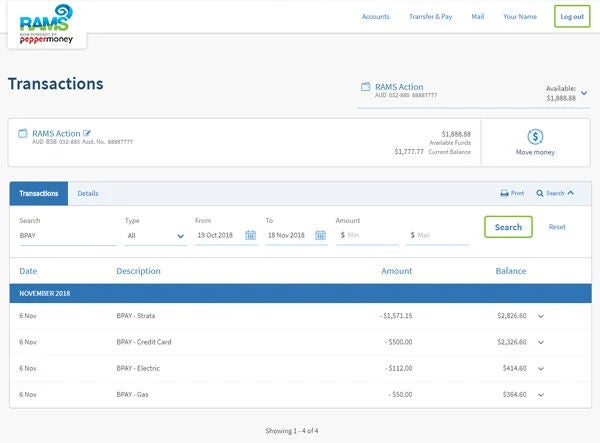
Manage your accounts online
myRAMS makes it easy for you to keep your accounts up to date, by allowing you to update some of your details online. myRAMS also allows you to export your transactions, and lets you add a nick name to your account.
Find out how easy it is with one of our short tutorials:
Update my Details
It's a good idea to keep your information up to date in case we need to identify who you are. The 'My Details' page is the place to keep most of your details in order.
When you want to view and /or change your personal details we'll send you a one time password to your mobile which you'll need to enter to view and/or change your details.
Add your details and click on the 'Submit' button. Another screen will let you know that your details have been updated successfully.
If you're worried that your details have been changed, but not by you, please contact RAMS immediately on 13 7267.
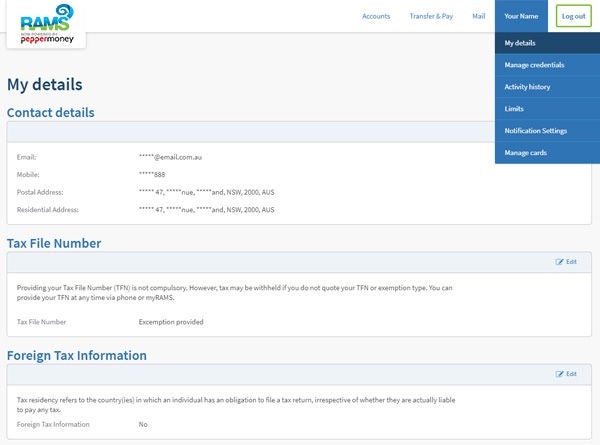
Limits
You can now change your Payee and Biller Limit separately
Click on your name, select “Limits” and change your limit. Save limit
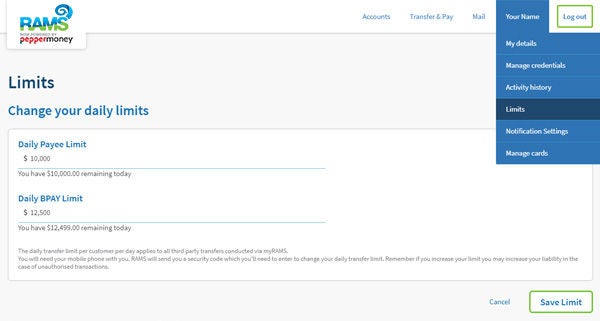
Limits
You can now change your Payee and Biller Limit separately
Click on your name, select “Limits” and change your limit. Save limit
Name my accounts
To rename your account, Select Accounts and Transactions, Click on the icon next to the account name and simply type in new account name and click tick.
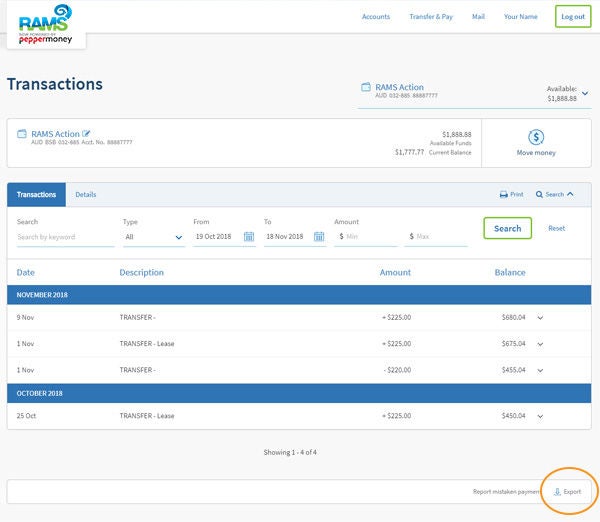
Export Transactions
To export your transaction, simply go to your accounts transaction. At the very bottom click Export and an CSV file will be generated download.
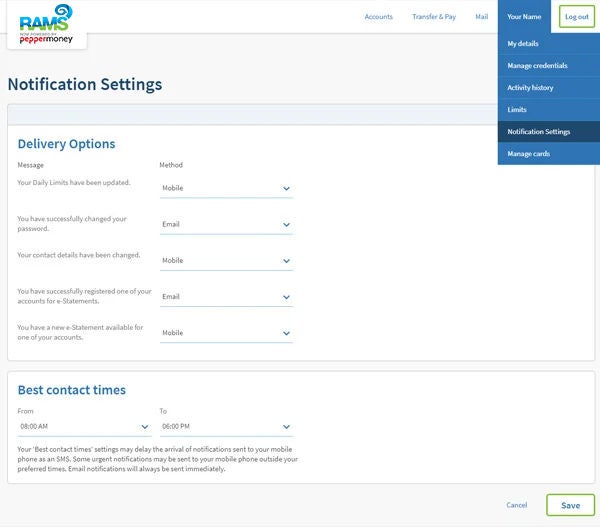
Notification settings
Go to Your name select “Notification Settings”
And choose your method of notification between Email or SMS.
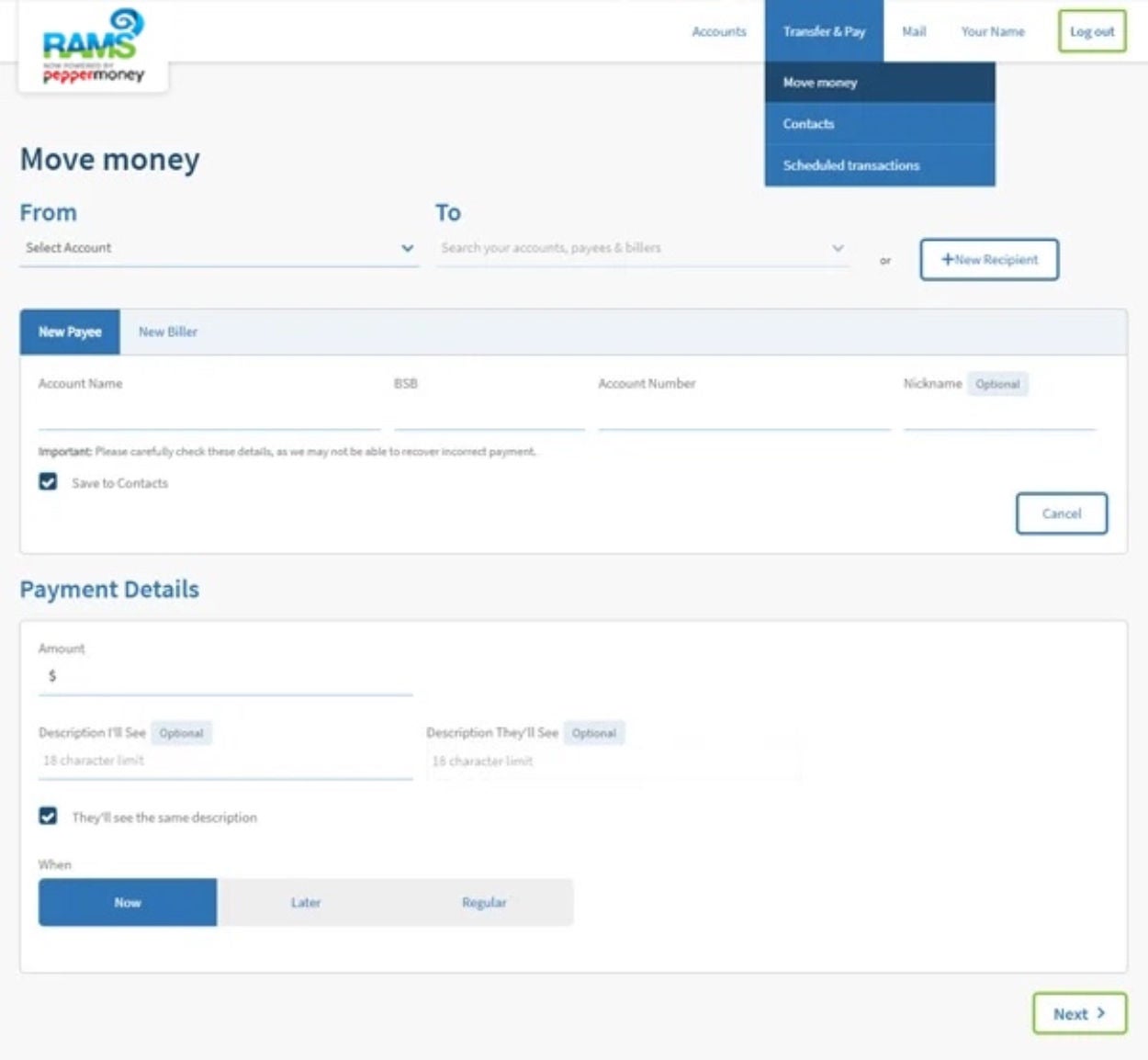
Move money
You can move money to any other account in Australia from any of your RAMS accounts, easily and securely, on myRAMS.
Find out how easy it is with one of our short tutorials:
Scheduling future transfers
You can schedule Move money for Payee or Biller
Go to Transfer & Pay
Select Scheduled transactions
List of previous Scheduled transactions
Or Add New transfer & Payment will take you to Move money page
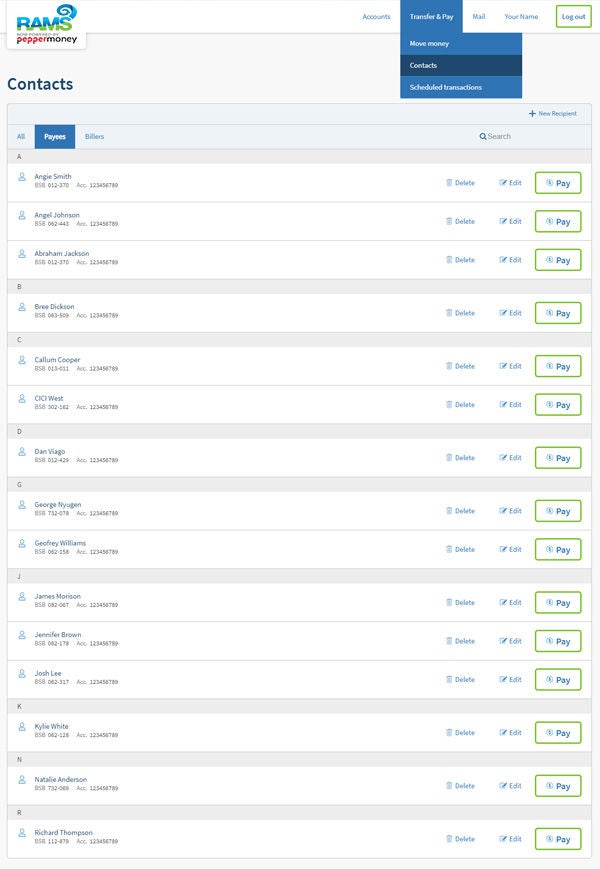
Manage payees
Contacts allow you to manage your Payee and Billers details. You can Add New Recipient, Delete or Edit contact nicknames or Click Pay
Go to Transfer & Pay
Select Contacts
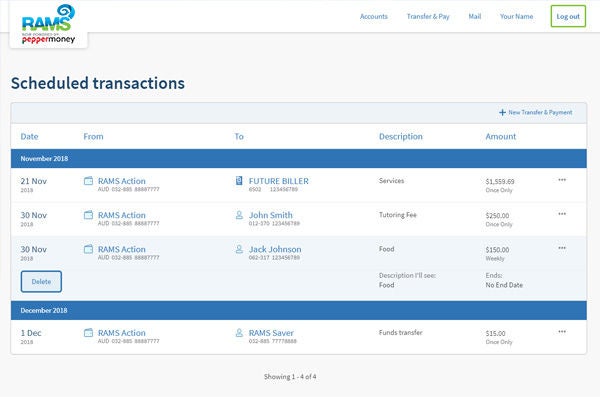
Scheduling future transfers
You can schedule Move money for Payee or Biller
Go to Transfer & Pay
Select Scheduled transactions
List of previous Scheduled transactions
Or Add New transfer & Payment will take you to Move money page

What is a direct debit?

What is a recurring payment?
A regular payment established by a customer using myRAMS to pay anyone is referred as a recurring Payment.
RAMS debit cards do not have the functionality to set up recurring payments.
It is your responsibility to ensure that you have sufficient available funds in your chosen account when payments are due to be withdrawn.
Important Information
Pepper Money Limited ABN 55 094 317 665 AFSL and Australian Credit Licence 286655 is the servicer of home loans owned by Pepper Finance Corporation Limited ABN 51 094 317 647. For RAMS loans and RAMS deposit accounts closed on or before 31 July 2026: Westpac Banking Corporation ABN 33 007 457 141 AFSL and Australian credit licence 233714. Pepper Money Limited also services these accounts. Pepper Money Limited and its subsidiaries use the RAMS trademarks and brands under licence from RAMS Financial Group Pty Ltd.


